Visual Studio Code 1.133 发布
Visual Studio Code 1.133 版本现已[发布](https://code.visualstudio.com/updates/v1_133)。
此版本为用户提供了更灵活的 Claude 会话体验,让长篇对话更易于跟进,并能在用户工作时实时刷新本地 HTML 预览。
- [更改 Claude 会话的模型供应商](https://code.visualstudio.com/updates/v1_133#_mix-anthropic-and-copilot-models-in-claude-sessions):在不重新配置 agent host 的情况下,在回合之间切换供应商。

- [无需登录 GitHub 即可使用 Agent 窗口](https://code.visualstudio.com/updates/v1_133#_open-the-agents-window-without-github-sign-in-experimental):当无法登录 GitHub 时,可使用你现有的 API 密钥访问 Claude。

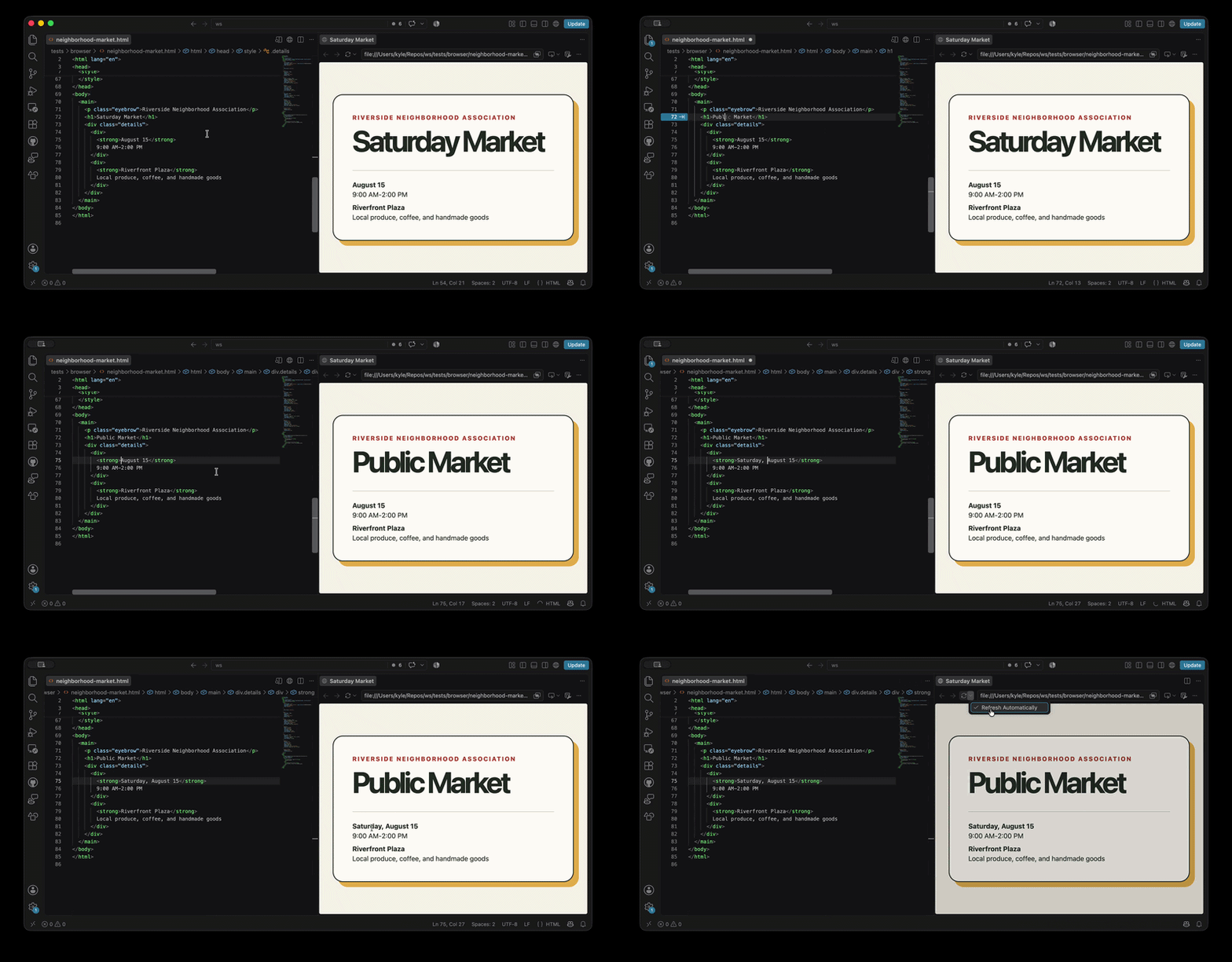
- [HTML 文件自动刷新](https://code.visualstudio.com/updates/v1_133#_auto-reload-html-files-in-the-integrated-browser):无需手动刷新即可立即预览 HTML 更改。
---
原文链接:[点击查看](https://www.oschina.net/news/501932/vs-code-1-133-released)
此版本为用户提供了更灵活的 Claude 会话体验,让长篇对话更易于跟进,并能在用户工作时实时刷新本地 HTML 预览。
- [更改 Claude 会话的模型供应商](https://code.visualstudio.com/updates/v1_133#_mix-anthropic-and-copilot-models-in-claude-sessions):在不重新配置 agent host 的情况下,在回合之间切换供应商。

- [无需登录 GitHub 即可使用 Agent 窗口](https://code.visualstudio.com/updates/v1_133#_open-the-agents-window-without-github-sign-in-experimental):当无法登录 GitHub 时,可使用你现有的 API 密钥访问 Claude。

- [HTML 文件自动刷新](https://code.visualstudio.com/updates/v1_133#_auto-reload-html-files-in-the-integrated-browser):无需手动刷新即可立即预览 HTML 更改。

---
原文链接:[点击查看](https://www.oschina.net/news/501932/vs-code-1-133-released)


评论
暂无评论。